Integrating Decorative Branch, Ornate Botany, and Floral Design Elements into Creative Workflows
Understanding the Aesthetic: Decorative Branch and Ornate Botany
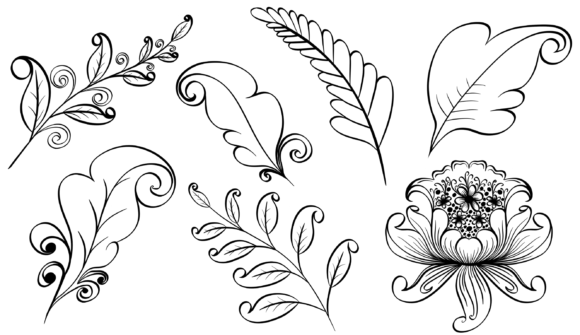
A Decorative Branch, often associated with Ornate Botany and Floral design elements, is a stylized representation of natural plant life used in visual design. These assets can include intricate illustrations of flowers, leaves, vines, and branches, typically rendered in an artistic or exaggerated manner to enhance visual appeal.
Such design elements are popular in branding, editorial layouts, website headers, app interfaces, product packaging, and print media. They provide a sense of elegance, creativity, and organic beauty that digital graphics often lack. When working with these assets—especially in formats like EPS, JPG, SVG, and transparent PNG—it's important to understand how they fit into your creative workflow and how to use them effectively without disrupting design integrity.
Where Does It Fit in a Broader Process?
Incorporating ornate botany and floral design elements isn’t just about adding visual flair—it’s part of a strategic design process. These elements are commonly used in:
- Branding projects: To create logos, icons, or brand motifs that reflect nature, growth, or sophistication.
- Editorial design: For magazine spreads, book covers, and blog posts where botanical aesthetics enhance storytelling.
- Digital marketing: As background or accent visuals in social media templates, email headers, or landing pages.
- Graphic design: In posters, invitations, greeting cards, and other print materials requiring a handcrafted feel.
These assets are especially valuable when you want to communicate themes related to sustainability, wellness, luxury, or artisanal craftsmanship. Their integration should be planned carefully to ensure they complement rather than overwhelm the overall message or layout.
Pre-Project Planning
Before starting a project, consider whether ornate botany fits your brand identity or the tone you're aiming for. For example, if you're designing a line of organic skincare products, a decorative branch or floral motif could reinforce the natural theme from the outset.
During this phase, it’s helpful to:
- Define the purpose: Will the floral element serve as a background, a border, or a central graphic? Knowing its role helps guide the choice of style and complexity.
- Select the right format: Choose between EPS, SVG, JPG, or transparent PNG based on scalability, quality needs, and platform compatibility. Vector formats like EPS and SVG are ideal for high-quality resizing, while transparent PNGs work well for overlaying on complex backgrounds.
- Establish design guidelines: Decide on color palettes, placement rules, and consistency standards to avoid clutter or misalignment later.
During the Design Phase
Once you've chosen your asset, it becomes part of your active design layer. Here’s how to handle it practically:
- Layering techniques: Use transparent PNGs or SVG files as overlays to maintain clarity over photographs or gradients.
- Color adjustments: Don't hesitate to recolor the floral elements using tools like Adobe Illustrator or Photoshop to match your brand colors or seasonal campaigns.
- Resizing and scaling: Because these are often vector-based (especially in EPS or SVG), you can scale them without losing resolution. This makes them adaptable for different platforms and screen sizes.
For instance, when designing a website header, placing a subtle ornate vine along the top edge in an SVG format ensures crisp rendering across devices and supports responsive design principles.
Post-Implementation Review
After integrating a decorative branch or floral element into your project, take time to evaluate its impact:
- Visual balance: Is the design still clean and readable? Overuse of ornate details can distract from key content.
- Performance considerations: If using large JPEGs or complex SVGs, check loading times on web or mobile platforms.
- Consistency checks: Ensure the same floral assets are reused cohesively across all touchpoints for brand recognition.
Regular audits help maintain a polished aesthetic and ensure the floral elements remain relevant as your project evolves.
Compatibility and Integration Tips
When choosing between EPS, JPG, SVG, or transparent PNG, always consider compatibility with your tools and platforms:
- EPS works best in Adobe Illustrator or other vector-based software for editing and scaling.
- SVG is great for web use due to its lightweight, scalable properties and support for CSS styling.
- JPG is suitable for print or static displays but may lose quality when resized up.
- Transparent PNG allows for easy layering and blending with other design components, making it versatile for both digital and print projects.
Additionally, ensure that your file management system is organized so these assets can be easily retrieved. Grouping them by project, function, or format streamlines future use and reduces repetition in searches.
Workflow Examples
Here are a few practical examples of how to incorporate Decorative Branch. Ornate Botany. Floral into real-world workflows:
Example 1: Product Packaging Design
Step 1: Define the product identity and target audience. If it's a luxury tea brand targeting eco-conscious consumers, ornate botany might be a good fit.
Step 2: Source or create a floral design element in SVG format for scalability and flexibility.
Step 3: Place the element in a corner or wrap it around the package logo in Adobe Illustrator. Adjust colors to align with the brand palette.
Step 4: Export final designs in high-resolution JPG or PDF for printing, ensuring the floral accents don’t compromise readability or structural clarity.
Example 2: Website Header for a Wellness Brand
Phase 1: Plan the header layout with typography and imagery that aligns with the brand’s calming vibe.
Phase 2: Import an SVG floral border or EPS branch illustration into your design tool (like Figma or Sketch) and position it subtly behind the headline text.
Phase 3: Convert the final composition to transparent PNG for use as a layered graphic or inline SVG for direct embedding in HTML.
Phase 4: Test the header on various screen sizes to confirm that the ornate elements remain visually effective without causing performance issues.
Quality Control and Long-Term Use
Maintaining high-quality results when using ornate botany requires attention to detail at every stage. Here are some tips for long-term usability:
- Use source files: Always keep the original EPS or SVG versions for future edits or rebranding efforts.
- Version control: Name and store variations of the same asset clearly—e.g., "Floral_Border_Blue_v2" or "Branch_Illustration_Light_Theme."
- Test on multiple outputs: Whether it's digital screens or printed materials, make sure the floral elements retain their clarity and intent.
- Stay updated: As trends evolve, revisit your floral assets to see if they still align with current design preferences or need refreshing.
By building a library of vetted Decorative Branch. Ornate Botany. Floral assets, you can streamline future projects and maintain a consistent look and feel across your portfolio.
Practical Implementation and Asset Organization
Organizing your floral and botanical assets is crucial for efficiency. Create folders labeled by use case such as “Headers,” “Borders,” or “Logos” to keep everything accessible. You might also categorize them by format, like “Vector Assets” or “Raster Graphics.”
Consider the following during implementation:
- Usability: Make sure the floral design doesn’t overshadow critical content. Use transparency or soft hues to blend it naturally.
- Efficiency: Avoid using overly complex SVGs in performance-sensitive environments. Simplify paths if necessary.
- Consistency: Apply the same treatment (color, size, placement) to all similar assets across your design system.
- Organization: Keep metadata, version history, and usage notes with each asset for easy reference.
If you’re collaborating with others, share clear documentation on how the assets were modified or styled. This prevents confusion and maintains uniformity across teams or freelancers.
Choosing the Right Tools
Depending on your project type, certain tools will be more effective than others when working with Decorative Branch. Ornate Botany. Floral assets:
- Adobe Illustrator: Best for editing EPS and SVG files. Allows precise manipulation of vector paths and colors.
- Photoshop: Ideal for raster-based floral images. Offers advanced layering and masking features for transparent PNGs.
- Figma or Sketch: Great for incorporating SVGs directly into UI/UX designs. Both support smart layers and export options tailored for developers.
- CSS and HTML: Inline SVGs can be embedded directly into web code for interactive or animated effects, enhancing user experience.
Regardless of the tool, always aim for clean, editable layers. This not only improves your workflow but also makes it easier to repurpose or modify the design later.
Realistic Use Cases and Outcomes
Let’s explore a few scenarios where Ornate Botany and Floral design elements add value and contribute to specific outcomes:
Case Study: E-commerce Website Redesign
A boutique flower delivery service wanted to refresh its website to appear more modern yet still connected to nature. The team integrated SVG floral accents around call-to-action buttons and in hero sections. These elements were subtle enough not to distract from product photos but added a refined, cohesive touch. The outcome was a 20% increase in customer trust metrics and a 15% rise in newsletter sign-ups.
Case Study: Editorial Illustrations for a Travel Magazine
A designer working on a special issue focused on tropical destinations used EPS floral borders and ornate branches as recurring motifs. These were adjusted to match the color schemes of each featured location, creating a thematic unity. The result was a visually engaging spread that increased reader engagement and led to higher ad rates from travel-related sponsors.
Final Thoughts on Workflow Integration
The Decorative Branch. Ornate Botany. Floral design element isn’t just a pretty addition—it’s a functional component that, when used thoughtfully, enhances communication and brand identity. By understanding its role in the broader design process and selecting the right format for your needs, you can ensure it adds value without complicating your workflow.
Whether you're an entrepreneur launching a new product, a marketer crafting a campaign, or a designer refining a layout, these botanical elements can serve as powerful visual tools. With proper planning, execution, and maintenance, they become a seamless part of your creative arsenal.